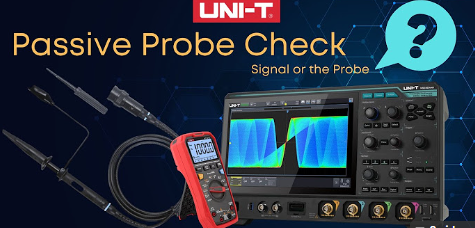
In this video, we show you how to check your UNI-T oscilloscope probes and verify your oscilloscope’s performance to make sure you are getting accurate readings.
This quick troubleshooting guide is based on a real customer case where an oscilloscope was returned — but the issue turned out to be something surprisingly simple! You will learn how to:
✅Test your oscilloscope probes using the probe compensator output
✅Perform a continuity check with a digital multimeter to identify connection issues
✅Properly connect your probe accessories to ensure a solid electrical connection
✅Adjust probe compensation using the included trimmer tool
✅Use the zoom and touchscreen features on UNI-T oscilloscopes for detailed signal inspection
Pro Tip: Before assuming your oscilloscope is faulty, always check your probes first.
A loose connection or improperly seated probe can cause false readings.
Visit the UNI-T Official Website: www.uni-trendus.com Unite your test bench with UNI-T.
#UniTrendUS #ProbeCheck #PassiveProbe #Oscilloscope #Multimeter